Virtual Staging for Real Estate Agents: The Complete Professional Guide
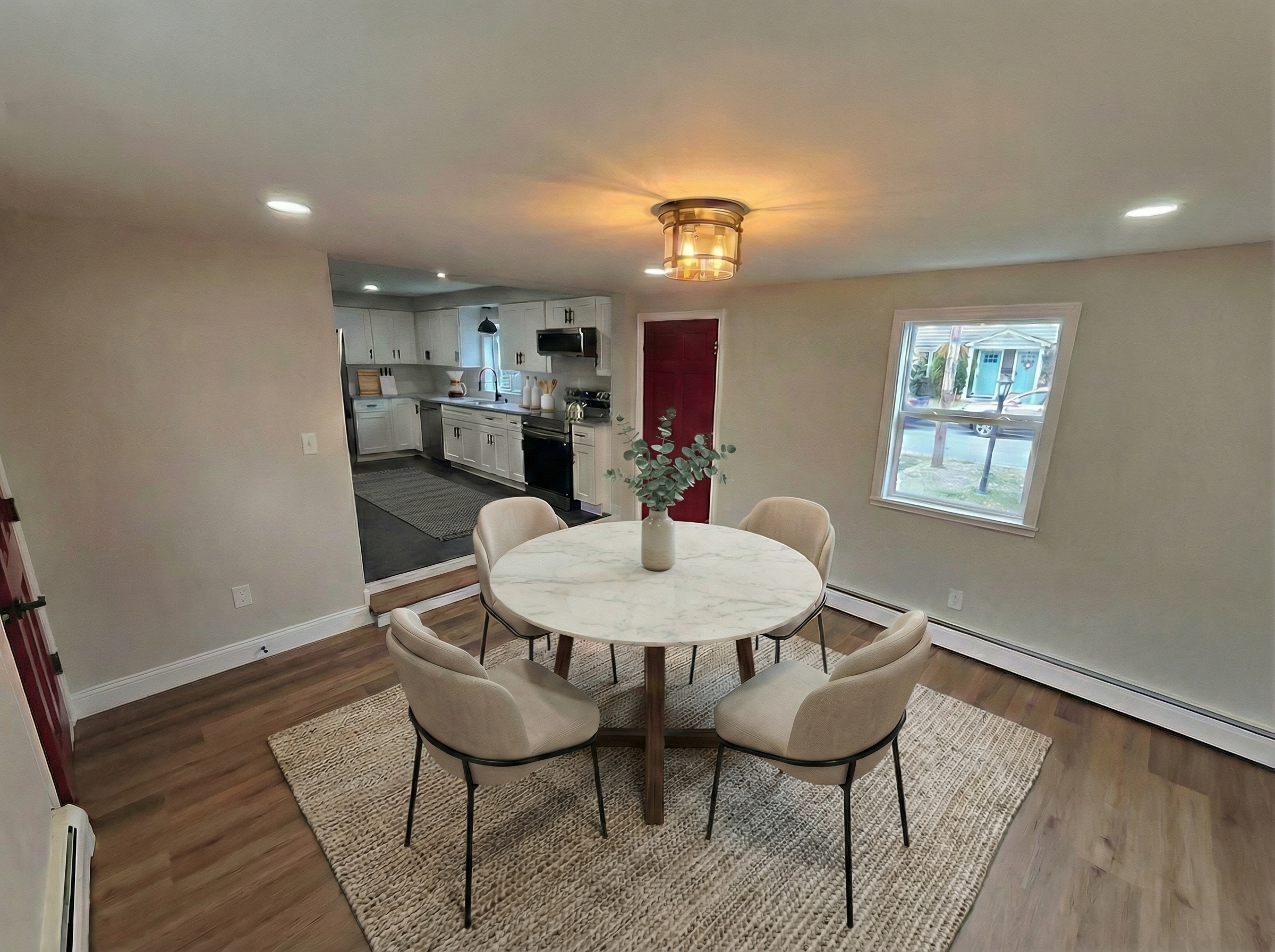
Virtual staging has evolved from a novelty to an essential skill for real estate agents. But using it effectively — and compliantly — requires more than just uploading photos to an app.
This guide covers what licensed agents specifically need to know: compliance obligations, client communication, workflow integration, and the business case for adding virtual staging to your practice.
Why Agents Need to Approach Virtual Staging Differently
Most virtual staging guides are written by tech companies for consumers. But agents have obligations that consumers don't:
- Professional licensing requirements — your license comes with truth-in-advertising obligations
- MLS compliance rules — specific requirements for digitally altered photos
- NAR Code of Ethics — Article 12 governs how you represent properties
- Fair Housing Act — staging choices can create unintended compliance issues
- Client fiduciary duty — your staging decisions represent your client's property
Ignoring any of these can result in fines, license complaints, or legal liability. The good news: compliance is straightforward when you build the right habits.
MLS Compliance: What Your MLS Requires
Every MLS has rules about virtual staging. While specifics vary, here are the universal requirements:
Photo Labeling
All virtually staged photos must be clearly labeled. Acceptable methods:
- Text overlay: "Virtually Staged"
- Banner across the bottom of the image
- Photo caption in MLS system
- Designation in photo type field (if your MLS offers this)
The label must be visible in both thumbnail and full-size views.
Description Disclosure
Your listing description should include a disclosure statement. Template:
"Select photos have been virtually staged to illustrate the space's potential. All staging is digital — furniture and decor are not included with the property."
Original Photos
Most MLSs require that at least one original (un-staged) version of each staged room be included in the listing photos. This gives buyers an accurate representation alongside the visualization.
What You Cannot Do
- Stage over structural defects or material issues
- Make rooms appear larger than they actually are
- Add features that don't exist (pools, fireplaces, views)
- Remove permanent fixtures or structural elements
- Stage in ways that misrepresent the property's condition
Fair Housing Considerations
This is the area most agents overlook — and it's the most consequential.
Staging Choices as Signals
The furniture, art, and decor in your staged photos send signals about who the home is "for." Under the Fair Housing Act, marketing materials cannot indicate a preference or limitation based on protected classes: race, color, religion, national origin, sex, familial status, or disability.
What to Avoid
Religious symbols or culturally specific decor: A cross above the bed, a menorah on the mantle, or culturally specific art can be interpreted as signaling the property is intended for a particular group.
Family-status indicators: Staging a room as a nursery or children's playroom could be seen as marketing toward families — which, while seemingly positive, technically discriminates against non-family households.
Accessibility removal: If a property has grab bars, wheelchair ramps, or other accessibility features, don't stage photos that remove them. This could appear to discourage persons with disabilities.
Safe Staging Practices
- Use neutral, contemporary furniture without cultural markers
- Stage bedrooms as adult bedrooms (queen/king bed, no cribs or children's furniture)
- Keep accessibility features visible in staged photos
- Use diverse, neutral art — landscapes, abstracts, geometric patterns
- Apply the same staging standards to all listings regardless of neighborhood
Client Communication
Setting Expectations Before Staging
Have this conversation with sellers before staging their listing:
Script:
"I'd like to virtually stage some of your photos to help buyers visualize the space. This uses AI to digitally add furniture — nothing is physically changed. The staged photos will be clearly labeled as 'Virtually Staged' in the MLS. I'll include the original photos alongside the staged versions so buyers can see both."
Key points to cover:
- Virtual staging is digital only — no physical furniture
- All staged photos will be disclosed as digitally altered
- Buyers will see both staged and un-staged versions
- Staging helps buyers visualize potential, not misrepresent condition
- Cost and number of photos to be staged
Managing Expectations During Showings
Prepare for the most common showing question: "Where's the furniture?"
Script for buyer's agents:
"The listing photos were virtually staged — the furniture in those images was digitally added to help you visualize the space. This is the actual room. Would you like to compare the staged photo to the real space?"
When NOT to Stage
Some situations where virtual staging hurts more than it helps:
- Severely damaged properties — staging over damage is unethical and potentially illegal
- Properties marketed as fixer-uppers — staging contradicts the positioning
- When the seller's furniture looks great — real furniture always beats AI furniture
- Very small rooms — staging can make them look more cramped, not less
Workflow Integration
The Optimal Staging Process
-
Photograph first, stage second. Get all your listing photos taken professionally (or with proper technique). Don't plan to fix bad photos with staging.
-
Select 3–5 rooms to stage. Focus on: living room, primary bedroom, kitchen (if empty), dining room, and one additional room that needs help. Don't stage every room.
-
Stage and review. Generate staged versions. Review each one for: realistic furniture placement, appropriate style for the price point, no compliance issues.
-
Pair staged with originals. For every staged photo, ensure the original is also in your MLS upload. Label staged photos clearly.
-
Write your description. Include the virtual staging disclosure. Use the staged photos to inform your description — describe the potential the staging illustrates.
Photo Quality Requirements
AI staging is only as good as your source photos. The non-negotiable requirements:
- Landscape orientation — always horizontal
- Shoot from the corner — capture two walls and the floor
- Chest height — not overhead, not ground level
- Good lighting — open blinds, turn on all lights
- Standard lens — no fisheye or ultrawide
- Steady shot — tripod or brace against doorframe
One good photo produces better staging than five mediocre ones.
The Business Case: ROI of Virtual Staging
Cost vs Return
Average cost: $3–10 per staged image × 4 rooms = $12–40 per listing
Average benefit:
- Staged homes receive 25% more online views (NAR)
- Staged properties sell 5–25 days faster (Real Estate Staging Association)
- 82% of buyers' agents say staging helps buyers visualize the property as their future home
The math: If virtual staging helps you sell just one listing per year even 5 days faster, the time saved (fewer showings, faster closing, reduced carrying costs) far exceeds the $20–40 you spent on staging.
Competitive Advantage
In markets where most agents are using some form of staging, NOT staging puts you at a disadvantage. In markets where staging is less common, it's an easy differentiator.
Either way, virtual staging costs 1/10th of physical staging ($2,000–$5,000 per property) and can be done in minutes rather than days.
What to Look for in a Platform
As an agent, your requirements are different from a consumer's:
Must-Haves
- Compliance tools: AI disclosure labels, Fair Housing guidance
- Fast turnaround: Same-day results for time-sensitive listings
- Professional quality: Results that pass MLS and buyer scrutiny
- Reliable service: Uptime when you need it (listing launch day)
- Fair pricing: Credits or plans that match your actual volume
Nice-to-Haves
- Multiple tools: Staging + renovation + descriptions in one platform
- Team features: If you have assistants or team members
- Listing integration: Save results to listings for portfolio building
Red Flags
- No mention of compliance or disclosure
- No refund policy on failed results
- Requires annual commitment
- No free trial to test quality
- Built by a tech company with no real estate expertise
Getting Started
If you're new to virtual staging, here's a practical starting plan:
Week 1: Sign up for a free trial on 1–2 platforms. Stage the same room on both and compare quality.
Week 2: Stage your next listing. Apply compliance best practices: label photos, include disclosure in description, upload originals alongside staged versions.
Week 3: Ask for client and colleague feedback. Did the staged photos help? Were there any issues with MLS compliance? How did buyers react?
Week 4: Evaluate and commit. Choose the platform that fits your workflow, budget, and quality requirements. Build staging into your standard listing process.
Virtual staging is a skill, not just a tool. Like any professional skill, it improves with practice and intentional use. Start with the basics, stay compliant, and build from there.
Built by a licensed agent, for licensed agents. Try RealEstateMU.AI free — staging, renovation, descriptions, and compliance checks. 5 credits, no credit card required.
Fab
Founder & Licensed Real Estate Agent
Founder of RealEstateMU.com and AI.RealEstateMU.com. Licensed real estate agent in MA, RI & GA with expertise in real estate technology and AI-powered marketing tools.